

05 / MOBILE & WEB APPS

Mobile and web apps for Las Vegas businesses.

When a Las Vegas team handles appointments or jobs across more than one location, scattered messages can make simple tasks harder. We build custom tools around the actual workflow, with clear request details, appropriate staff access and a useful view of what needs to happen next.

Build the tools your customers actually need.

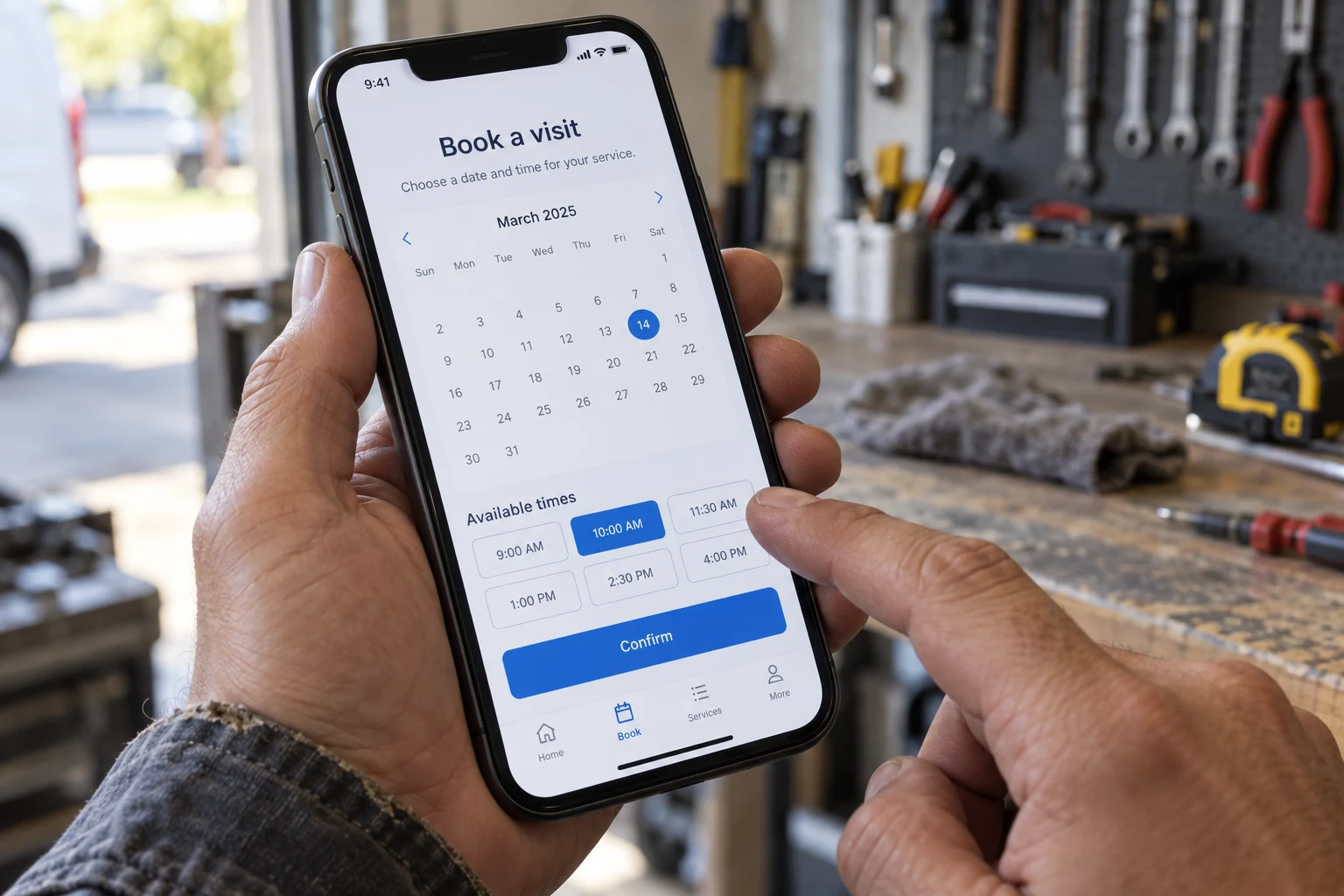
A booking application with a calendar and appointment options on a handheld phone
A USEFUL TOOL. A SIMPLER DAY.Booking demo

One clear
way to book.

Choose a day.
Choose a time.
Know the next step.
Customer choice
Your workflow
YOUR BUSINESS

Let’s find
your time.

Example consultation · 30 min

An example flow. Nothing will be booked.

Custom apps connect customer choices with the way your team works.

THE SERVICE, IN PLAIN ENGLISH

What is
Mobile & Web Apps?

A custom app is a tool built around a specific job your customers or team need to do. It might run in a browser or on a phone. We organize the screens, information, and actions around that job, from requesting appointments to managing ongoing work.

Your app and your public website have different jobs. Custom website design introduces the business, while an app supports a specific task. Workflow automation can help connect repetitive steps where your process calls for it.

Your business sets the direction. Custom design, development, and strategy shaped around your goals. No off the shelf website templates.

Person checking a calendar application on a smartphone
BUILT AROUND HOW YOU WORKUseful for your customers.
Useful for your business.

01 / THE WORK

Build the screens around the people doing the work.

We begin with the task and identify everyone involved. A customer might need a simple request form and a way to check progress. A member of staff might need a list of requests, a detail screen and controls to update the work. A manager may need a broader view. Those different needs determine the screens and access, instead of forcing everyone through the same interface.

The information collected should also have a purpose. A request could include a location, preferred date, description and relevant files, while an internal screen shows the person responsible and current status. We agree on the essential first version before building. That keeps the custom app focused on a task people can complete, with later features considered after you see how the first version is used.
02 / THE EXPERIENCE

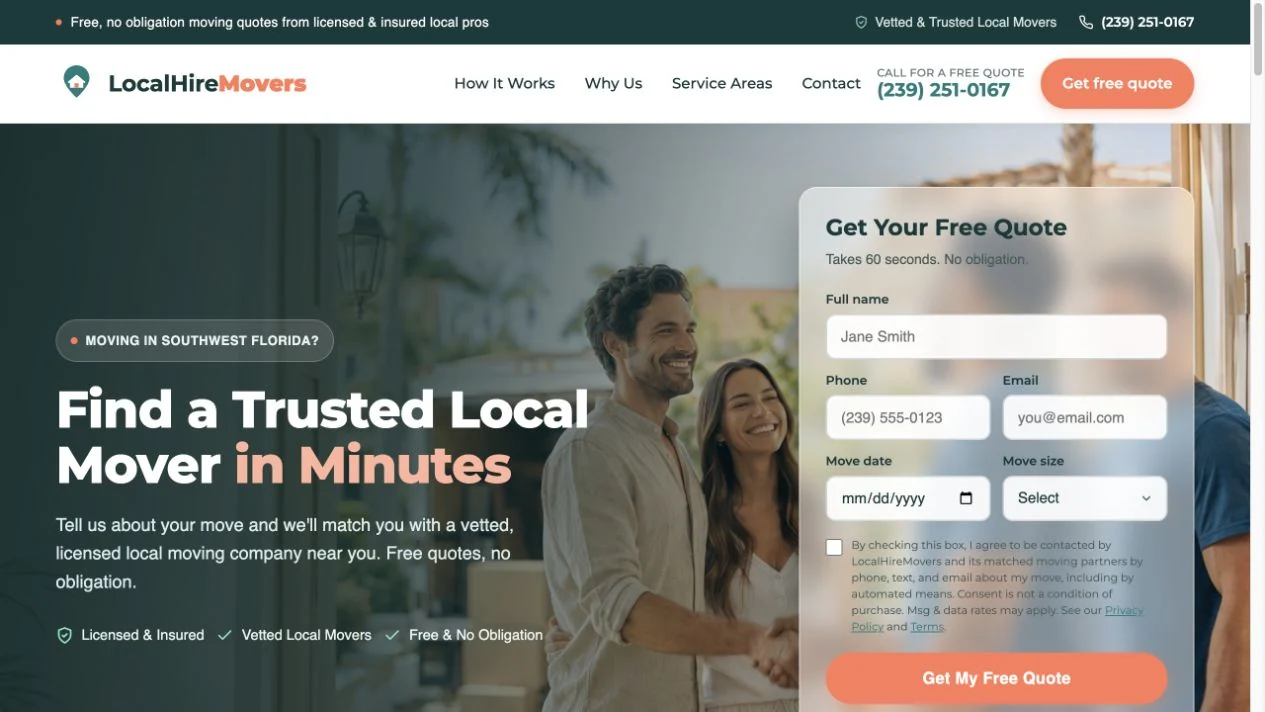
Connect a submitted request to the next action.

A useful app does something with the information it collects. After a customer submits a request, the system can save the details, make them available to the right staff and show a confirmation. Staff can review the request, assign responsibility and update its status. Those changes can be reflected in the customer view or trigger an agreed notification, depending on how your process should work.

Connections to existing calendars, customer management systems or other tools need to be checked during planning. We confirm what each service allows, which information should move and whether an outside account or subscription is needed. We also review what happens when information is missing or a connection fails. Clear handling of those situations helps the app support the business process instead of creating another place to chase updates.

03 / THE BUSINESS VALUE

Turn a repeated business process into a usable tool.

Consider an event venue handling inquiries across phone calls, emails and notes. A custom app could collect the event date, guest count and requirements in one request. A coordinator could review those details, check availability and prepare the next response. The customer could then see the request status or review a proposal, while the team keeps the relevant conversation and documents together in one place.

Your version would be based on your rules, the people doing the work and the tools already in use. Decisions such as confirming availability or accepting a booking can stay with your team. We build the screens around those decisions and test the complete sequence, so routine information is easier to handle while the person responsible stays in control.

READY FOR YOUR NEXT CHAPTER?

What should your software make easier?

Bring the process, spreadsheet or idea you want to improve. We’ll help turn it into a focused app scope, with a sensible first release.

Request a quoteClear scope. Personal guidance. No pressure.

WHAT THIS MEANS FOR YOU

Less chasing updates.
More getting things done.

Don’t just read about the possibilities.
Explore what could change for you.Choose a benefit. Slide to see the idea.

A workflow that fits

Design the steps around how your business operates, with the fields, screens, and actions your team needs for a particular task from start to finish.

PICTURE THIS

Imagine a maintenance company using one custom request flow to collect the property address, a fault description and photos before assigning a technician.

Let’s make it work for you

Information in one place

Bring relevant requests, documents, and updates together, giving the right people a shared view of the work instead of relying on scattered messages and spreadsheets.

PICTURE THIS

Imagine an authorized technician opening a maintenance request to see the customer's photos, access instructions and the latest staff notes together.

Let’s make it work for you

Clear next actions

Show customers or staff what has happened and what they need to do next, with simple status updates and access appropriate to each person's role.

PICTURE THIS

Imagine a customer seeing that their maintenance visit is scheduled while the assigned technician sees the job details and an action to record completion.

Let’s make it work for you

Your business sets the brief. We custom build the solution around it.

PICTURE IT IN YOUR BUSINESS

Give everyday tasks a better home.

An example of what’s possible

Imagine a Las Vegas maintenance team using a custom app for service requests. Customers submit details and photos, staff assign the work, and technicians add updates. Everyone with the appropriate access can check the latest status without searching through separate message threads.

  1. 01

    Submit the request

    Give customers a simple screen to provide the needed details.

  2. 02

    Move the work forward

    Help your team review requests, assign work, and update progress.

  3. 03

    See the latest

    Keep the relevant status and next actions easy to check.

BUILT TO FIT YOUR BUSINESS

Useful from
day one.

  • Discovery, user flows and an agreed first release scope
  • Interface design for the people and devices using the app
  • Custom development and agreed service integrations
  • Functional testing, deployment planning and a technical handover

REAL BUSINESSES. REAL WORK.

See the businesses we build for.

Website projects from businesses with different customer journeys and operational needs. They offer context for our design approach as we discuss a custom app for your workflow.

Explore our website portfolio ↗

WHAT WORKING TOGETHER LOOKS LIKE

Build the first version around the job to be done.

  1. 01

    Describe the workflow

    Show us the current task, the people involved and where time or information gets lost.

  2. 02

    Map the first version

    Choose essential screens, actions, access roles and any connections needed for a useful release.

  3. 03

    Build and try the task

    Review the working app using realistic examples and refine the parts that need clearer steps.

  4. 04

    Prepare the handover

    Confirm access, deployment, everyday use and the agreed approach to maintenance.

CONFIDENCE IN THE DETAILS

A useful first version starts with the right questions.

Custom software should fit a real task. Define who is doing the work, what they need to see and what a successful next step looks like.

Give every feature a reason

Tie proposed screens and actions to a specific customer or staff task. Separate the essential first version from ideas that can be considered later.

Review access and connections early

Identify who should see each type of information and which existing tools may need to connect. Check the requirements before an integration becomes part of the scope.

Walk through everyday situations

Review the agreed task from beginning to end, including incomplete information and changes in status. Make the handover and ongoing support needs part of launch planning.

Eddie, your direct contact at QuickWebX
A real person behind your project.

Work directly with Eddie, from the first conversation through the build.

Let’s talk

CONFIDENCE, FROM OUR CLIENTS

What working with us feels like.

Selected excerpts from client reviews about their experience with QuickWebX.

More Google reviews ↗
★★★★★Google review

“Eddie @ QuickWebX Website Design went above all the expectations I had when I was creating my business website.”

Nick DelRociniQuickWebX customer
★★★★★Google review

“Not only does he know his business inside and out, he patiently walked me through every step of the way.”

Vance CreightonQuickWebX customer

QUESTIONS, ANSWERED

Mobile & Web Apps,
made clear.

Do I need a mobile app or a web app?

It depends on how people will use it. A web app works through a browser; a mobile app may suit requirements tied to a phone. We discuss access, device features and maintenance before choosing the approach.

Can we start with a smaller version?

Yes. A focused first release can cover the most important task and let you learn from real use. We separate essential features from later additions so the scope stays understandable.

Can the app connect to tools I already use?

Often, but each connection needs checking. We review the other tool's access options, permissions and costs before including an integration, and explain any limits that affect the project.

Can different locations or team members have different access?

Yes, access rules can be part of the agreed app scope. We identify which requests, records and actions each role needs, then design and test those permissions. A manager may need a wider view while a team member sees the work assigned to them.

Contact QuickWebX in Las Vegas

Losing Jobs To Your Competition? Invisible On Google? Website Not Bringing You Jobs? Tired Of A Silent Phone? Let's Get Your Phone Ringing

Tell us what you want to achieve for your Las Vegas business. We’ll help you find the right next step. Prefer to talk? Call 725 777 5625.

Send Us a Message

A real conversation about your business. Start with your name and email.

Tell us about your project. We’ll help you take the next step.

Prefer to talk it through?Book a free consultation Choose a time that works for you.

Plan a Conversation

Choose an available consultation time or send us your project details using the form. We’ll review your message and discuss the next step with you.

Follow QuickWebX

Two locations. One team.

Las Vegas, NevadaOur Florida location27975 Old 41 Rd #202
Bonita Springs, FL 34135

LET’S TALK ABOUT YOUR BUSINESS725 777 5625